

Smartphone battery life remains one of the most important factors for users in Kenya, where devices are relied upon for communication, mobile money, business, and entertainment throughout the day. Heavy mobile data usage, background apps, and network conditions can significantly affect how long a phone lasts on a single charge.
While modern smartphones offer larger batteries and improved efficiency, battery life ultimately depends on how the device is used and configured. Many users experience unnecessary battery drain due to settings, apps, and usage habits that can be easily optimized.

Understanding how battery consumption works and applying simple adjustments can significantly improve daily endurance and long-term battery health. This guide explains practical, effective steps Kenyan users can take to extend smartphone battery life.
Real Battery Struggles Kenyan Users Face
Let’s start with the truth. Battery drain isn’t just technical, it’s personal. Here are real concerns from Kenyan users:
- “My Camon 30 shuts down at 15% – even after a full charge.”
- “I charge my Samsung A25 overnight, but it still dies by 3 pm.”
- “TikTok and M-PESA drain my battery faster than I can top up airtime.”
These aren’t isolated cases. According to Carlcare Kenya, 78% of users cite battery life as their #1 smartphone concern.
How to Maximize Your Smartphone Battery Life | What’s Really Draining Your Battery?
- High screen brightness in sunny towns like Mombasa and Kisumu.
- Background apps: AI Apps such as Deep Seek, WhatsApp, TikTok, mobile money, and location services
- Poor signal strength in rural areas or during travel
- Overcharging and deep discharging – common but harmful habits
Smart Settings You Should Activate Today
Your phone already has tools to help you optimize your battery life. Here is how you need to use them.
Battery Saver Mode
Activate it early. Don’t wait for 20%. It limits background activity and throttles performance-heavy tasks.
Adaptive Brightness & Refresh Rate
Let your phone adjust brightness and refresh rate based on your environment. Lowering from 120Hz to 60Hz can save up to 20% of battery life.
App Sleep & Background Limits
Put non-essential apps to sleep. On Samsung, use “Deep Sleeping Apps.” On Xiaomi, use MIUI’s “Battery & Performance” settings.
Location & Connectivity Management
Turn off GPS, Bluetooth, and Wi-Fi when not in use. These silent killers drain power fast.
Battery-Saving Features on 2025 Smartphones: How to Maximize Your Smartphone Battery Life
| Phone Model | Battery Capacity | AI Optimization Tools | Fast Charging | Notable Feature |
| Xiaomi 13T Pro | 5000mAh | MIUI Adaptive Charging, AccuBattery | 120W | 100% in 19 mins2 |
| Samsung Galaxy A55 | 5000mAh | AI Battery Optimizer, Adaptive Mode | 25W | Deep Sleep App Control5 |
| Tecno Camon 40 Premier | 5100mAh | Ultra Power Saving, Phone Master | 70W | 300% battery extension in emergencies |
| Infinix Zero 30 5G | 5000mAh | XManager, App Freezer | 45W | Optimized for Kenyan usage |
These models are widely available in Kenya and offer robust battery management tools tailored for local needs.
Charging Habits That Protect Battery Health
Charging smarter is just as crucial as using smarter. Here’s how:
Follow the 20%–80% Rule:
Avoid deep discharges and full charges. Keeping your battery in the mid-range reduces stress and extends lifespan.
Use Certified Chargers:
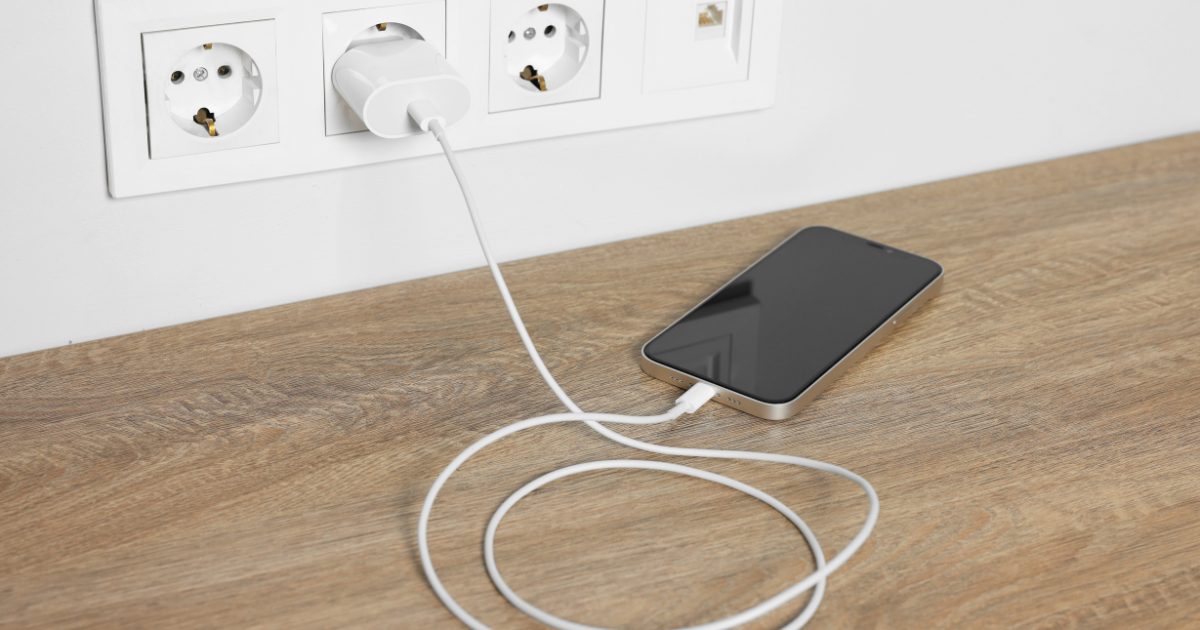
Avoid cheap knockoffs. Use original or Carlcare-certified accessories for Tecno and Infinix. Samsung have original fast chargers that suitably power their Galaxy A Series and S Series handsets.
Invest in a Quality Power Bank:
Look for:
- Fast charge support (18W+)
- High capacity (10,000mAh+)
- Trusted brands: Oraimo, Anker, Xiaomi
Retailer tip: Check Jumia, PhonePlace Kenya, or Avechi for deals on certified accessories.
AI Battery Optimization in 2025: The Game-Changer
Modern smartphones now use AI to learn your habits and optimize power usage in real time.
Xiaomi 13 Series
- MIUI Adaptive Charging: Slows charging overnight, finishes just before you wake up
- Battery Health Menu: Hidden diagnostic tools show wear level and charge cycles
Samsung Galaxy A Series
- AI Battery Optimizer: Predicts app usage, adjusts performance, and manages background activity
- Adaptive Power Saving: Balances performance and battery based on your routine
Tecno Camon 40 Premier
- Phone Master App: One-tap optimization for background apps
- Ultra-Power Saving Mode: Switches to grayscale and essential apps only — perfect for emergencies
These tools aren’t just fancy – they’re lifesavers for Kenyan users who rely on their phones for work, payments, and content creation.
When to Replace Your Battery or Upgrade Your Device
Even with perfect habits, batteries degrade. Here’s how to know when it’s time:
Signs of Battery Degradation
- Sudden shutdowns at 10–20%
- Battery drops rapidly from 50% to 10%
- Charging takes longer than usual
Replace vs. Upgrade
- Replace if your phone is under 2 years old and still performs well
- Upgrade if your device is slow, lacks modern features, or has a poor battery, even after replacement
Upgrade tip: Look for trade-in deals or installment plans from trusted retailers like Jumia or Avechi.
JuaTech Africa Recommendation
Battery life optimization is not determined by battery size alone. Device settings, background apps, network conditions, and charging habits all influence performance. Users who manage app activity, optimize settings, and follow proper charging practices can significantly improve daily battery life and long-term battery health.
Consistent optimization ensures reliable performance, especially in environments where access to charging may be limited.
Ready to take control of your battery life?
- Share this guide with friends and colleagues.
- Check out our recommended devices and accessories from trusted Kenyan retailers
- Download our free Battery Optimization Checklist for Kenyan Users (coming soon!)