

Artificial intelligence has become a core part of modern smartphones. It powers camera enhancements, voice assistants, translation, battery optimization, and many other features. However, not all AI works the same way. There are two fundamental types of AI processing in smartphones: on-device AI and cloud AI.
Understanding the difference between on-device AI and cloud AI is critical because it affects privacy, performance, battery life, reliability, and real-world usability.

Some AI tasks run entirely on your phone’s dedicated hardware. Others rely on powerful remote servers accessed through the internet. Each approach has clear advantages, limitations, and ideal use cases.
This guide explains exactly how on-device AI and cloud AI work, what hardware powers them, how they affect smartphone performance, privacy, and battery life, and which approach is better depending on the task.
on-device AI vs cloud AI explained
Quick Definitions: On-Device AI vs Cloud AI
On-device AI:
Artificial intelligence processing that runs entirely inside your smartphone using its internal processor, typically the NPU, CPU, or GPU.
Cloud AI:
Artificial intelligence processing that runs on remote servers. Your phone sends data to external servers, which process it and send results back.
The key difference is the location of processing.
On-device AI runs locally.
Cloud AI runs remotely.
Why AI Exists in Smartphones
Artificial intelligence allows smartphones to perform complex tasks efficiently.
Examples include:
- Camera image enhancement
- Voice recognition
- Language translation
- Face recognition
- Battery optimization
- Personal assistants
Without AI, many modern smartphone features would not function effectively.
AI improves performance, efficiency, and automation.
What Is On-Device AI?
On-device AI refers to artificial intelligence processing performed directly inside the smartphone using its internal hardware.
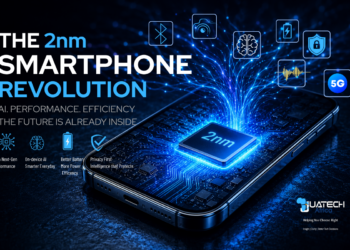
This processing is handled primarily by a dedicated processor called the Neural Processing Unit, or NPU.
Other processors involved include:
- CPU
- GPU
- ISP
On-device AI does not require internet connectivity.
All processing occurs locally.
Hardware That Powers On-Device AI
Modern smartphone chipsets include specialized AI hardware.
Key components include:
| Processor | Role in AI |
| NPU | Primary AI processing |
| CPU | General AI task coordination |
| GPU | Parallel AI processing support |
| ISP | AI camera processing |
The NPU is specifically designed to accelerate AI operations efficiently.
This improves speed and reduces power consumption.
Examples of On-Device AI in Smartphones
On-device AI powers many core smartphone features.
These include:
Camera Processing
On-device AI performs:
- Scene detection
- Image enhancement
- Noise reduction
- HDR processing
This happens instantly.
Face Unlock
Face recognition runs locally using on-device AI.
This improves security and speed.
No internet connection is required.
Keyboard Prediction
Typing suggestions and autocorrect are powered by on-device AI.
This improves typing efficiency.
Voice Recognition
Wake-word detection, such as voice assistant activation, runs locally.
This improves responsiveness.
Advantages of On-Device AI
On-device AI provides several major advantages.
Faster Response Time
On-device AI eliminates internet communication delays.
Processing happens instantly.
This improves speed.
Privacy Protection
Data remains inside the device.
Sensitive data does not leave the phone.
This improves privacy.
Offline Functionality
On-device AI works without the internet.
This improves reliability.
Lower Network Usage
On-device AI does not require data transmission.
This reduces network dependency.
Limitations of On-Device AI
On-device AI has limitations due to hardware constraints.
Limited Processing Power
Smartphones cannot match the power of large cloud servers.
This limits complexity.
Limited Model Size
Large AI models require more memory and processing power.
Phones have limited resources.
What Is Cloud AI?
Cloud AI refers to artificial intelligence processing performed on remote servers.
The smartphone sends data to cloud servers through the internet.
The servers perform processing and return results.
Cloud servers have significantly more computing power.
How Cloud AI Works Step by Step
Step 1: User performs an AI task
Step 2: The phone sends data to the cloud server
Step 3: Cloud server processes data
Step 4: Server sends results back
This process depends on internet connectivity.
Examples of Cloud AI in Smartphones
Cloud AI powers many advanced features.
These include:
Voice Assistants
Complex voice commands are processed using cloud AI.
This enables advanced responses.
Real-Time Translation
Cloud AI performs complex language translation.
This improves accuracy.
Advanced Image Processing
Cloud AI enhances images using powerful models.
This improves quality.
Advantages of Cloud AI
Cloud AI provides significant advantages.
Much Higher Processing Power
Cloud servers are far more powerful than smartphones.
This enables complex AI tasks.
More Advanced AI Models
Cloud servers can run large AI models.
This improves accuracy.
Continuous Improvement
Cloud AI continues to improve through server updates.
This improves performance.
Limitations of Cloud AI
Cloud AI has several limitations.
Requires Internet Connection
Cloud AI cannot function offline.
Privacy Risks
Data must be transmitted to external servers.
This creates privacy risks.
Slower Response Time
Network communication introduces delay.
This reduces speed.
On-Device AI vs Cloud AI Comparison Table
Feature |
On-Device AI |
Cloud AI |
| Processing location | Inside phone | Remote servers |
| Internet required | No | Yes |
| Speed | Instant | Slower due to the network |
| Privacy | Highest | Lower |
| Processing power | Limited | Extremely high |
| Offline capability | Yes | No |
Real-World Example: Camera AI Processing
When taking a photo:
On-device AI performs:
- Scene detection
- Image optimization
Cloud AI may perform:
- Advanced enhancement
- Cloud photo analysis
Both approaches may be used.
Real-World Example: Voice Assistants
Voice assistants provide one of the clearest real-world demonstrations of how on-device AI and cloud AI work together. The first stage, known as wake word detection, is handled entirely by on-device AI. Your smartphone continuously listens for trigger phrases such as “Hey Google” or “Hey Siri,” but this detection is processed locally using the device’s Neural Processing Unit. This ensures instant response and protects privacy, since audio data does not leave the device during passive listening.
Once the wake word is detected and the assistant is activated, more complex commands may require cloud AI processing. For example, requests such as sending messages, performing web searches, answering general-knowledge questions, or controlling smart-home devices involve large language models and access to external data. These tasks are sent securely to cloud servers, where powerful AI systems process the request and return the result. This two-stage system ensures fast activation through on-device AI while leveraging the superior computational power of cloud AI for advanced functionality. This combination delivers both speed and intelligence without compromising efficiency.
Hybrid AI: Modern Smartphones Use Both On-Device and Cloud AI
Modern smartphones use a hybrid AI architecture that combines on-device AI and cloud AI to achieve optimal performance, efficiency, and capability. On-device AI handles tasks that require immediate response, low latency, and strong privacy protection. These include face recognition, camera processing, voice activation, keyboard prediction, and battery optimization. Because these tasks are processed locally, they deliver instant results and do not require internet connectivity.
Cloud AI complements this by handling tasks that require significantly greater computing power or access to large datasets. These include complex voice assistant queries, advanced translation, cloud-based photo enhancement, and generative AI tasks. Cloud servers use powerful GPU clusters and large neural networks that exceed the capabilities of mobile hardware. By intelligently distributing tasks between local and cloud processing, hybrid AI ensures smartphones deliver fast performance, advanced intelligence, and efficient power usage simultaneously.
Why On-Device AI Is Becoming More Important
On-device AI is becoming increasingly important as smartphone chipsets integrate more powerful Neural Processing Units that can handle complex machine learning workloads locally. These dedicated AI processors can perform trillions of operations per second while consuming minimal power, allowing smartphones to execute advanced AI tasks without relying on cloud servers.
This shift toward local AI processing provides several critical advantages. Privacy is significantly improved because sensitive data, such as voice input, facial data, and personal behavior patterns, remain on the device. Performance is faster because tasks are processed instantly without network delays. Reliability is also enhanced because on-device AI continues to function even without internet connectivity. As AI models become more efficient and chipset AI performance continues improving, smartphones are increasingly capable of running advanced AI workloads locally, reducing dependence on cloud infrastructure.
How Chipsets Enable On-Device AI
On-device AI is made possible by specialized hardware integrated directly into modern smartphone chipsets. The most important component is the Neural Processing Unit, designed to accelerate machine learning operations such as pattern recognition, image processing, and natural language processing. Unlike general-purpose CPUs, NPUs are optimized to perform AI calculations efficiently while consuming far less power.
In addition to the NPU, other chipset components contribute to AI performance. The Image Signal Processor uses AI to optimize the camera, enabling features such as scene detection and computational photography. The CPU coordinates system operations, while the GPU accelerates parallel workloads such as image rendering and neural network computations. This integrated architecture allows smartphones to perform advanced AI tasks locally, improving speed, efficiency, and responsiveness. As chipset manufacturers continue to increase NPU performance, on-device AI capabilities have become a defining feature of modern smartphone processors.
Privacy Comparison: On-Device AI vs Cloud AI
Privacy represents one of the most important differences between on-device AI and cloud AI. On-device AI processes data locally, which means sensitive information such as biometric data, voice input, and user behavior never leaves the device. This significantly reduces exposure to external threats and ensures greater control over personal data. Biometric authentication systems such as face unlock and fingerprint recognition rely on this local processing to ensure maximum security.
Cloud AI, by contrast, requires data to be transmitted to remote servers for processing. Although this data is typically encrypted, transmitting information outside the device introduces additional privacy considerations. Cloud processing depends on secure data transmission and server-side protection. For privacy-critical functions, on-device AI provides superior protection by eliminating the need for external data transfer. This is why smartphone manufacturers increasingly prioritize local AI processing for security-sensitive tasks.
Battery Impact Comparison
On-device AI is generally more power-efficient for frequent, real-time tasks because it eliminates the need for continuous network communication. Transmitting data to and from cloud servers requires the cellular modem or Wi-Fi radio to remain active, which consumes significant energy. Frequent cloud communication can increase battery drain, especially when handling repetitive tasks such as voice activation or image processing.
By contrast, on-device AI uses the NPU, which is specifically designed for high efficiency. NPUs can perform AI tasks using far less energy than CPUs or GPUs and without activating power-hungry network components. This makes on-device AI ideal for continuous background optimization tasks such as battery management, camera processing, and predictive app loading. By reducing reliance on network communication and using efficient local processors, on-device AI improves battery life and overall device efficiency.
Future of Smartphone AI
The future of smartphone AI is increasingly focused on expanding on-device capabilities. As chipset manufacturers continue improving Neural Processing Unit performance, smartphones will be able to run more advanced AI models locally. This includes real-time language translation, advanced image processing, predictive system optimization, and on-device generative AI applications.
Reducing reliance on cloud processing improves privacy, reduces latency, and enhances reliability. At the same time, cloud AI will continue to play an important role in supporting large-scale AI models that require extensive computational resources. The hybrid AI model, combining on-device efficiency with cloud-level intelligence, will remain the foundation of smartphone AI architecture. However, the balance is shifting steadily toward greater on-device capability as mobile hardware becomes more powerful and efficient.
Final Verdict: On-Device AI vs Cloud AI Explained
On-device AI provides faster performance, better privacy, and offline capability. Cloud AI provides greater processing power and supports more complex AI tasks. Modern smartphones use both approaches together.
On-device AI is essential for speed and privacy. Cloud AI is essential for advanced processing.
Understanding the difference helps explain how modern smartphone AI works.